Manage User Sharing Permissions
Account owners have the ability to set the sharing permissions for all users on the account.
User Permissions: Sharing Restrictions
Account owners can modify sharing permissions for all users in their account in the web interface. Adjusting sharing permissions gives the account owner the ability to control how data is shared. For example, a parent could allow their children to receive shared entries from within their family but not share any data outside the family.
Restriction Settings
There are two groups (columns) in the User Permissions table from which account owners can change permissions:
- Sharing with members of the Family Plan (within Account)
- Sharing with other Codebook Cloud Users (Externally)
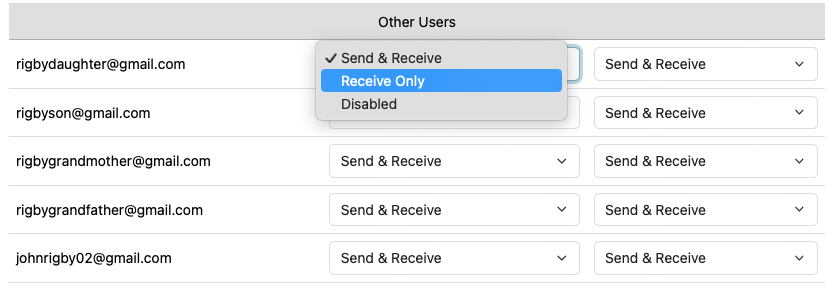
- Sending & Receiving - can send and receive shared entries from trusted contacts in the group.
- Receiving Only - can only receive shared entries from trusted contacts in the group.
- Disabled - cannot send or receive shared entries from trusted contacts in the group.
The default permissions for all users is Sending & Receiving for both groups.
Set User Sharing Permissions
Permissions are set from the Manage Users page on your Codebook Cloud Dashboad.
-
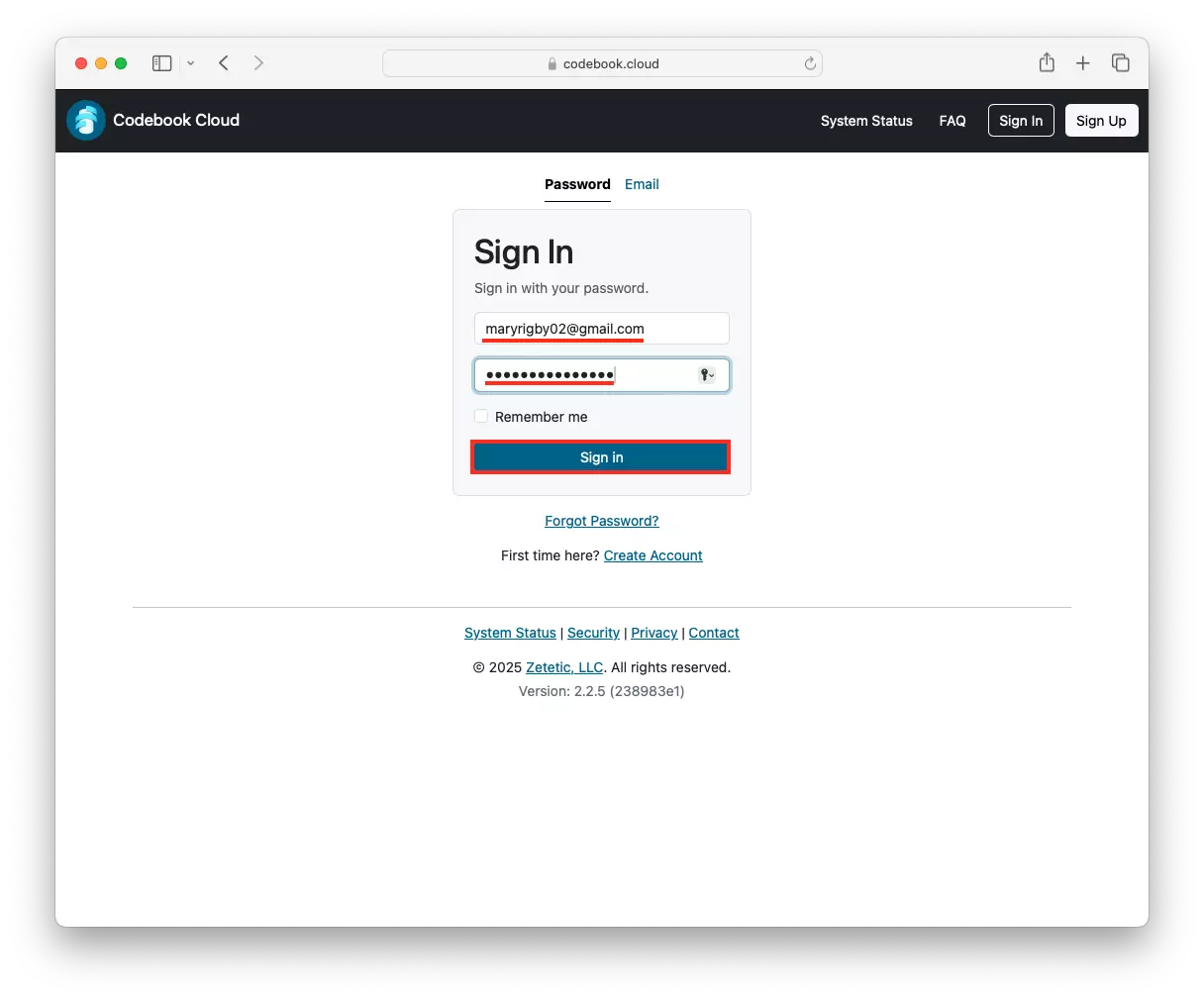
Login in your Codebook Cloud account at at Codebook Cloud Login.
Enter your email and password. This is your Codebook Cloud password. It maybe stored in Codebook in the
Codebook Cloud entry in Codebook catergory. Click Sign In.
-
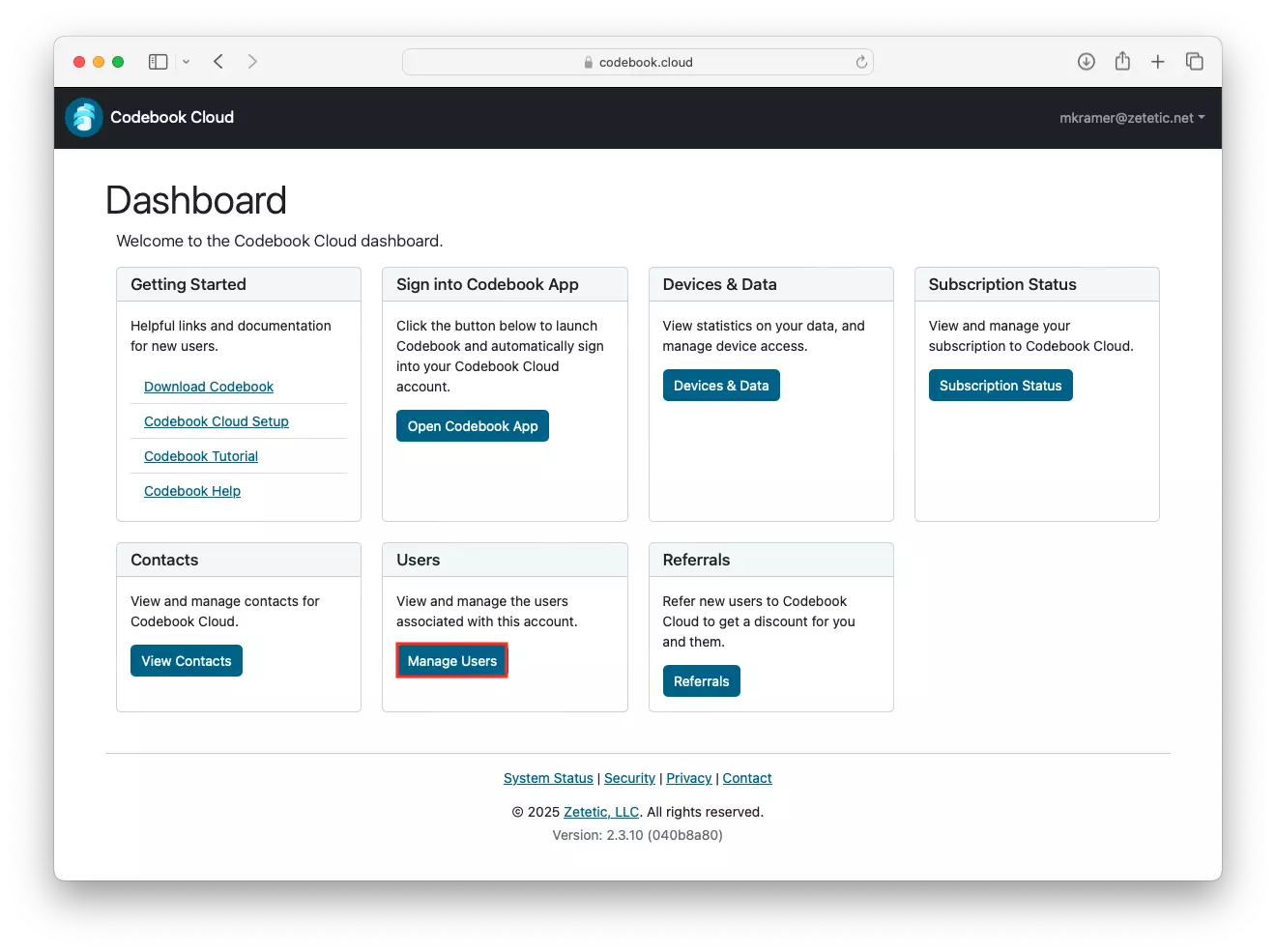
Click Manage Users in the Users section of your Dashboard.
-
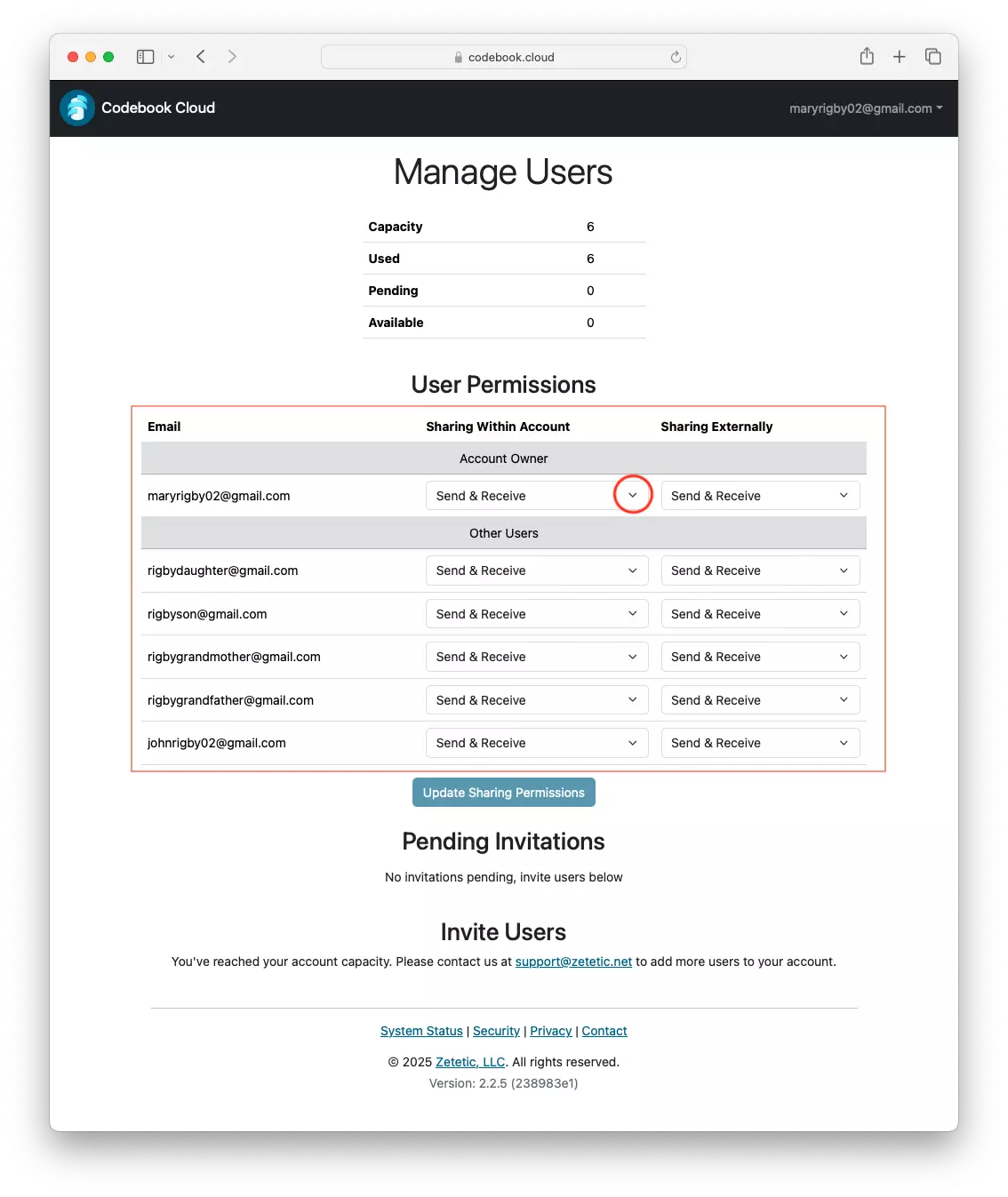
In the User Permissions section, you will see the current settings for each user. Click on the down arrow to
see the available sharing permission settings.
-
Select the desired setting from the drop down list and click Update Sharing Permissions to save your changes.
