Codebook 5.4 Release with Passkey Support
We are pleased to announce the new release of Codebook 5.4 which includes passkey support across Android, iOS, macOS, and Windows. Passkeys are a faster, more secure alternative to passwords. Codebook supports passkey registration, synchronization, and authentication. Once a passkey is registered and synced on one Codebook device, it can be used on any device running Codebook which supports passkeys to sign in to the associated service, website, or application.
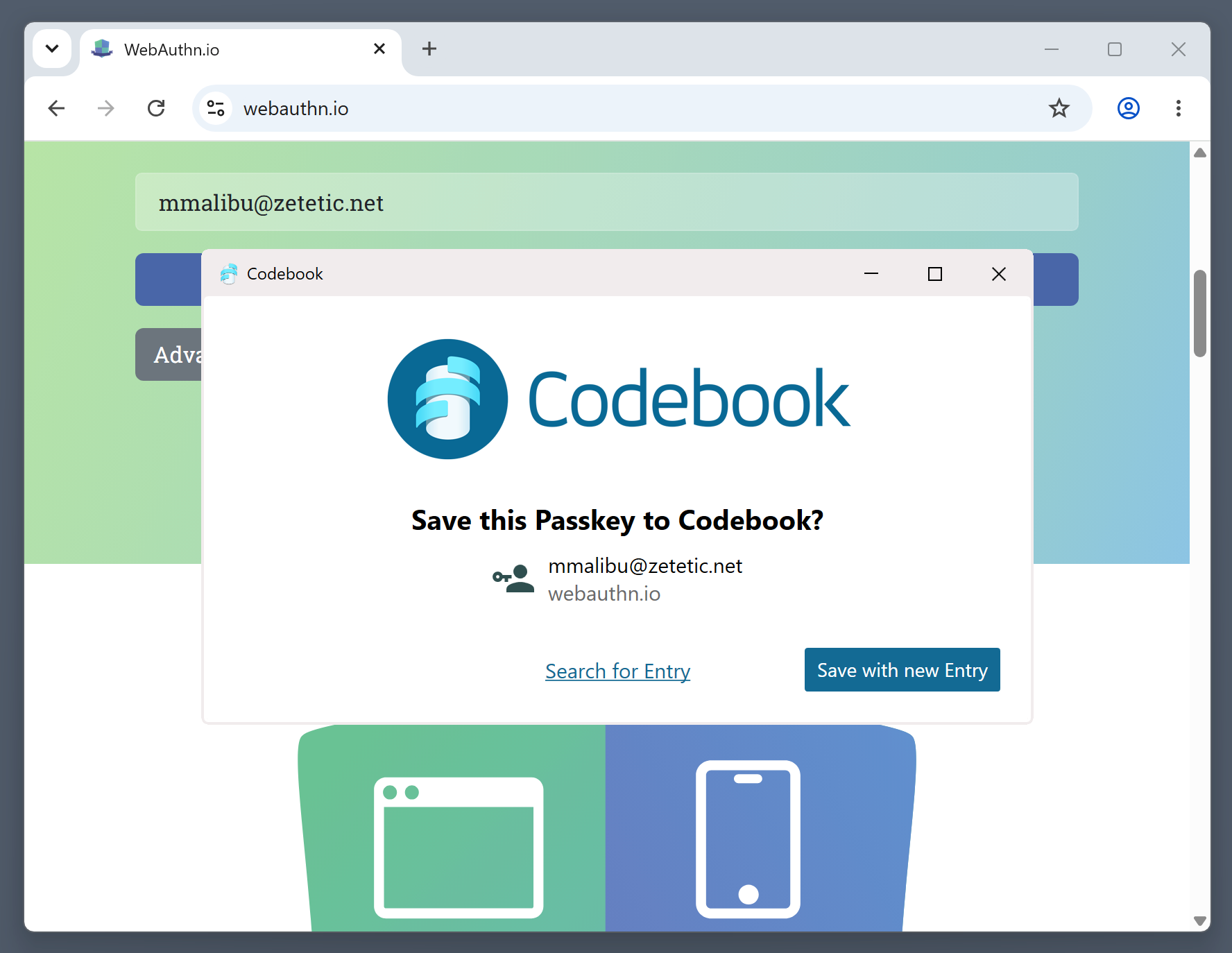
Passkeys are assigned to Entries, accessible under a new Passkeys tab. The Entry list also includes an indicator icon when an Entry has a passkey. If you use Codebook Cloud, our optional, automatic background synchronization service, you can share passkeys with another user by sharing the Entry that contains the passkey. Passkeys also sync with Codebook’s other sync options.
Because passkeys rely on integration with the operating system, the following minimum versions are required:
| Platform | Minimum Version |
|---|---|
| Android | 14.0 |
| iOS | 17.0 |
| macOS | 14.0 |
| Windows | 11 version 24H2 |
| Linux | Not supported |
If you’re using Codebook on a platform that doesn’t support passkeys, Codebook will continue to work normally. Passkeys synced from your other devices won’t be usable there, but they’ll remain safely stored and available on your supported devices.
To get started, update Codebook on your devices and see our Passkeys Explained Guide for instructions on creating your first passkey.
To celebrate the release of this new feature, we have a discount available for Codebook Cloud automatic sync:
25% Off for New Subscribers
Offer unavailable in Google Play or Apple App Store.
Offer expires Oct 31st.