SQLCipher for Windows C/C++
Commercial & Enterprise Edition Feature
Buy SQLCipher for Windows Now »
SQLCipher for Windows provides full database encryption when targeting either C
or C++ projects. The pre-compiled binaries allow for easy inclusion in your
project whether you prefer dynamic or static linking. SQLCipher for Windows includes processor support for x86, x64, and arm64 architectures.
Integration Options
SQLCipher for Windows allows for either dynamic or static linking for integration.
SQLCipher for Windows Dynamic Linking
- Add SQLCipher to your project. Each platform directory (i.e.,
x86,x64, andarm64) contain the header files, and both static and dynamic libaries for linking. - Next, right-click on the project and select Properties from the context menu to make adjustments to the project.
- Adjust
Preprocessor Definitionswithin C/C++ > Preprocessor. AddSQLITE_HAS_CODEC;to the preprocessing symbols for the application: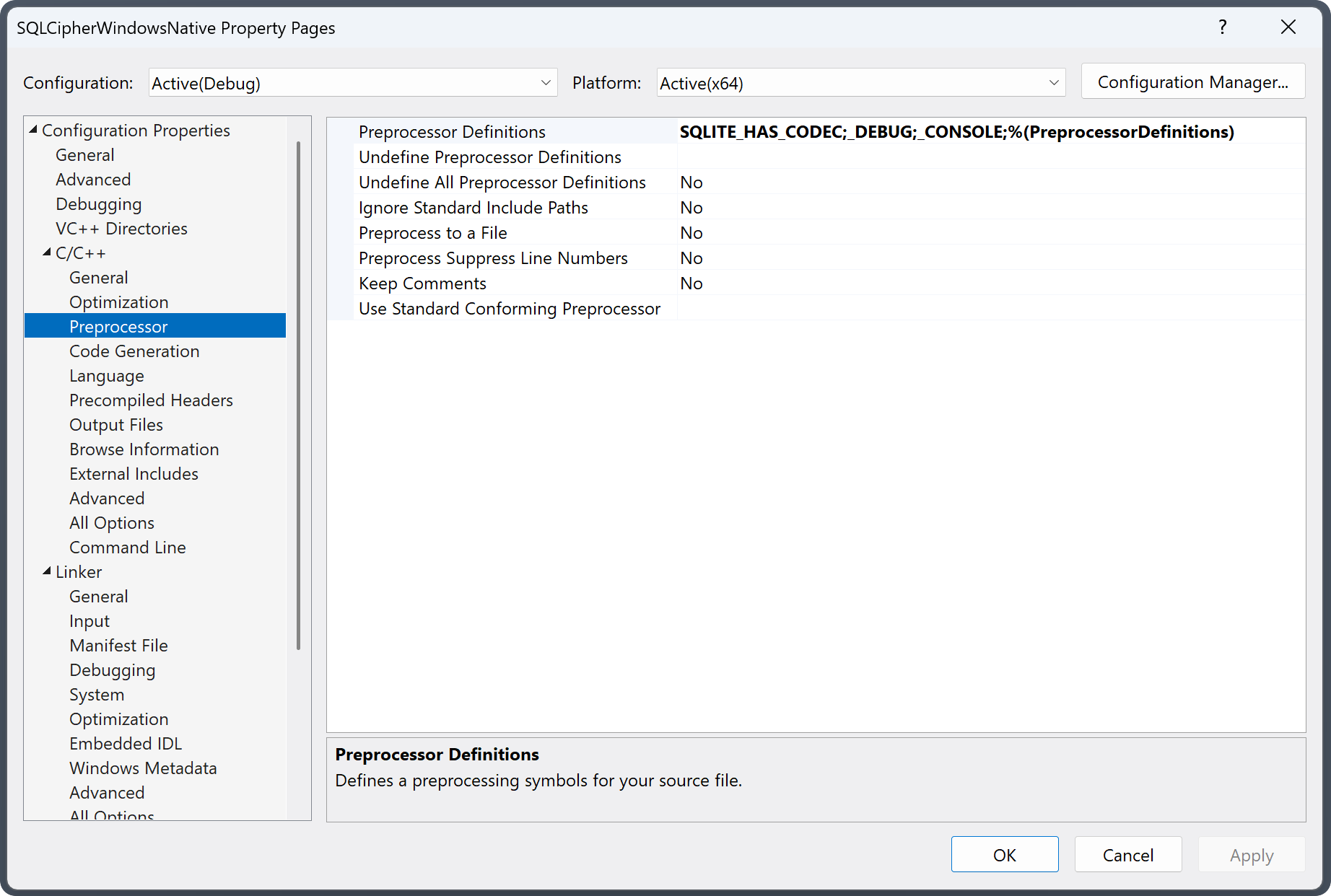
- Adjust
Additional Include Directorieswithin C/C++ > General to locate the SQLCipher header files. You can use$(PlatformTarget)in the path which will substitutex86,x64, orarm64at build time.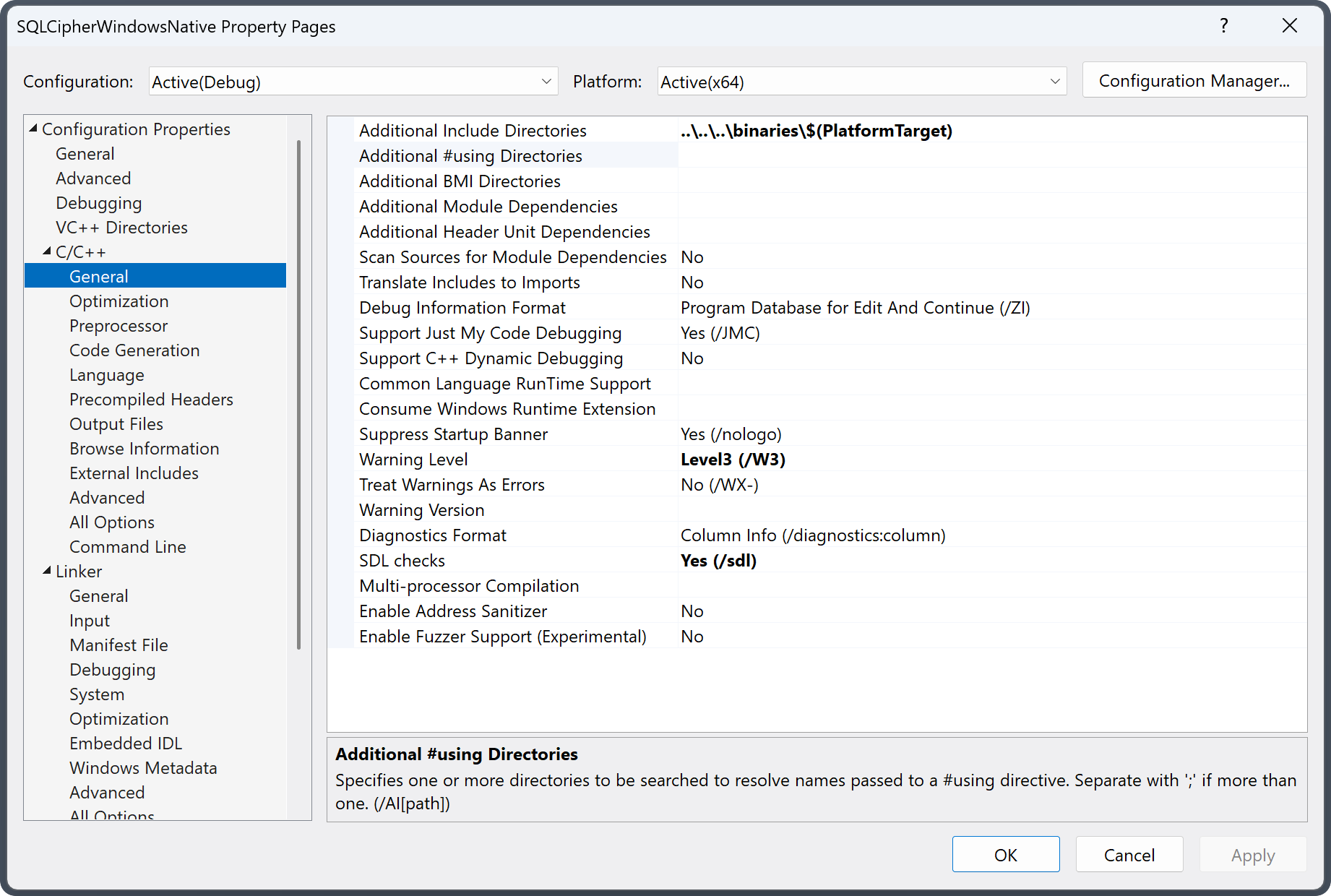
- Adjust
Additional Library Directorieswithin Linker > General. Using$(PlatformTarget)to locate the platform-specific target directory at build time.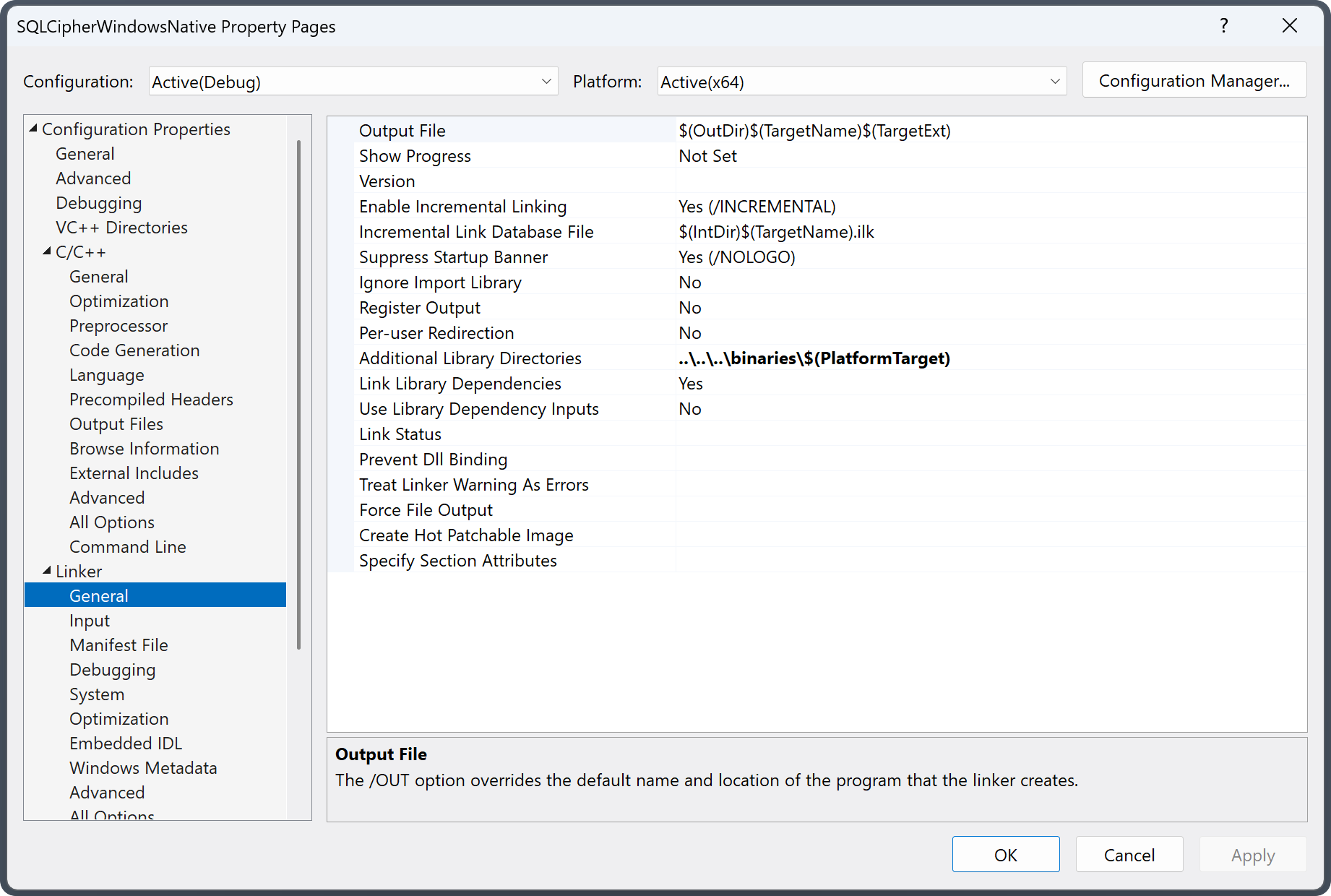
- Adjust
Additional Dependencieswithin Linker > Input, addingsqlcipher.lib;.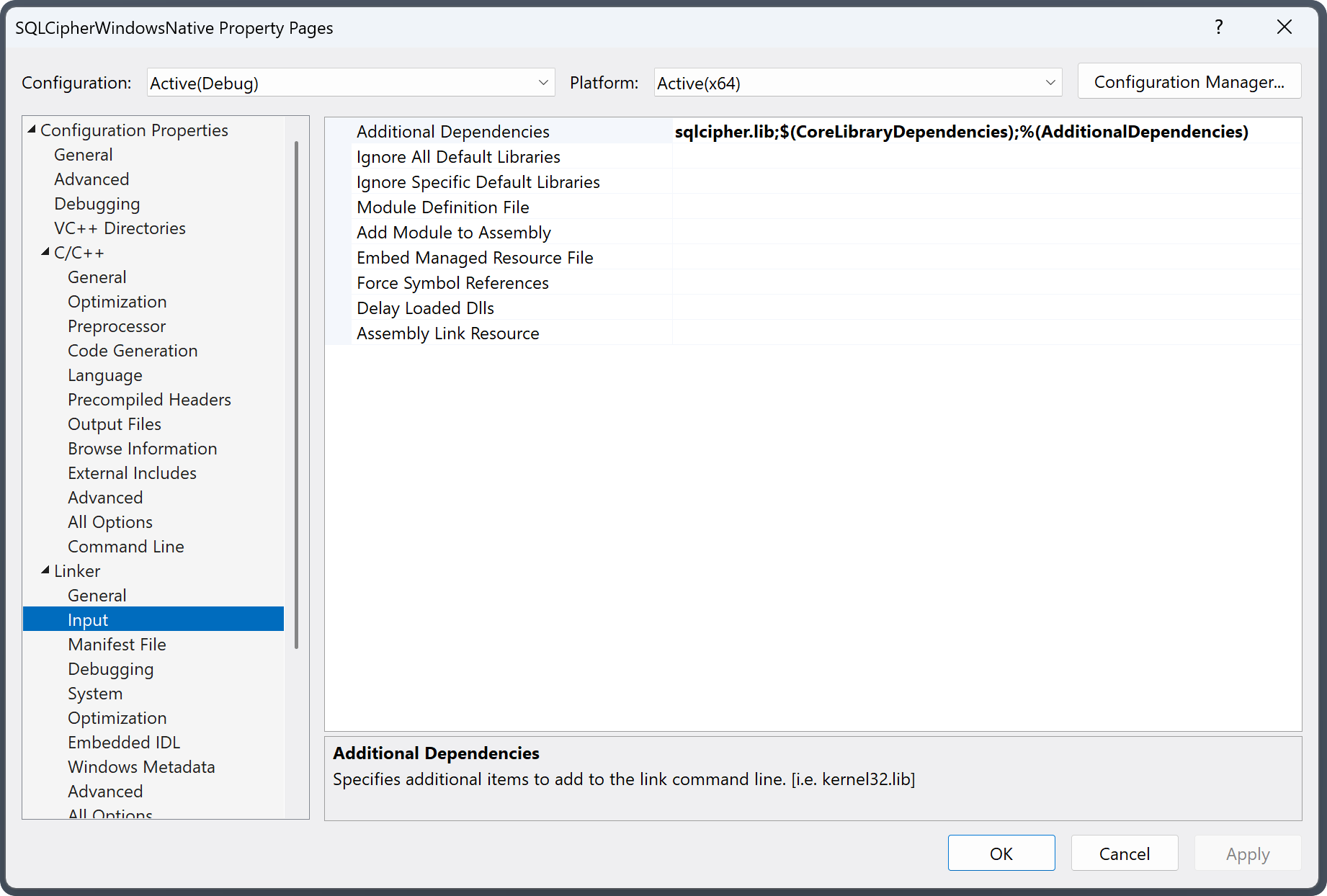
- Add a Post-Build Event within the Build Events section to copy the
sqlcipher.dllto the build output directory (i.e.,$(OutDir)).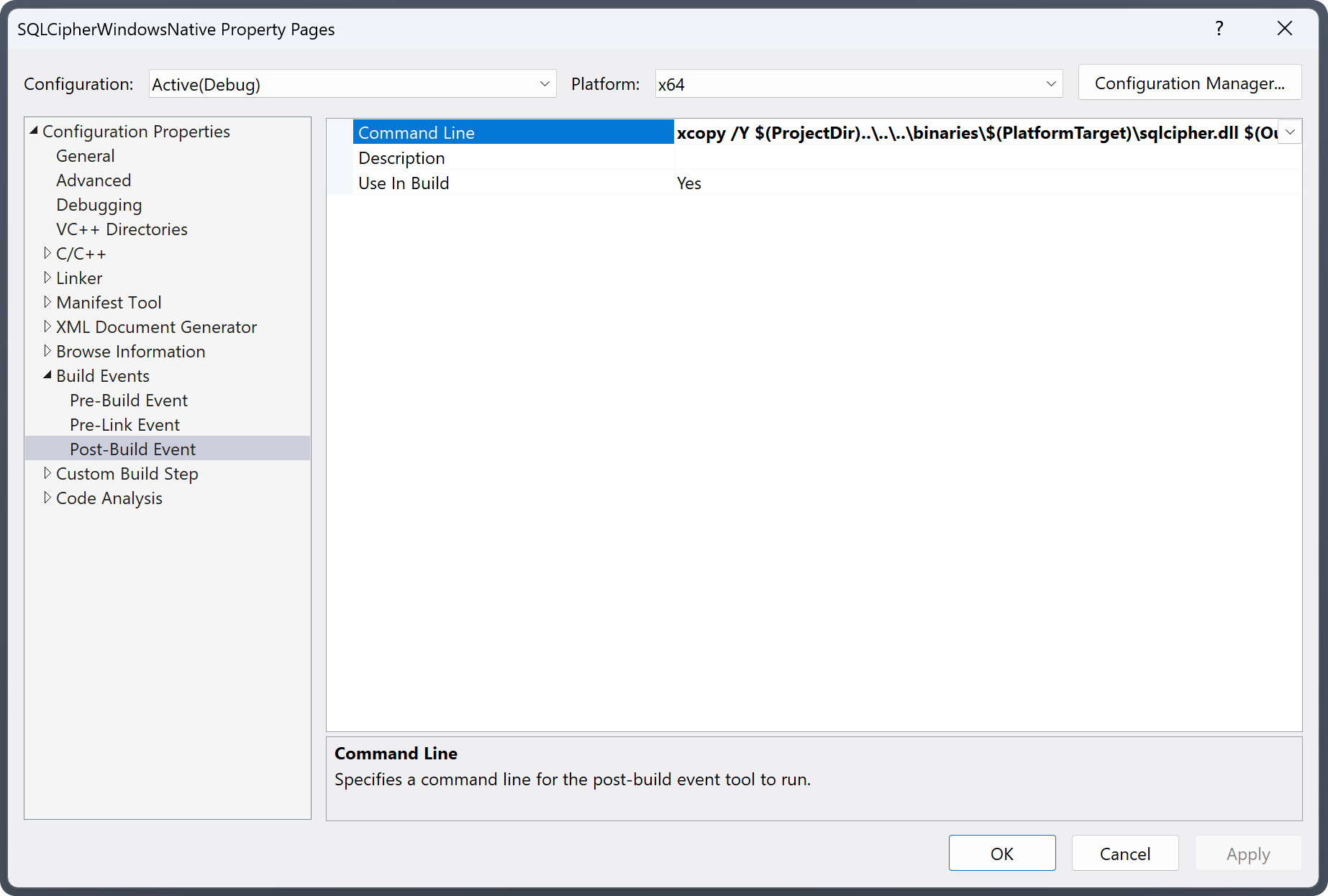
SQLCipher for Windows Static Linking
- Add SQLCipher to your project. Each platform directory (i.e.,
x86,x64, andarm64) contain the header files, and both static and dynamic libaries for linking. - Next, right-click on the project and select Properties from the context menu to make adjustments to the project.
- Adjust
Preprocessor Definitionswithin C/C++ > Preprocessor. AddSQLITE_HAS_CODEC;to the preprocessing symbols for the application: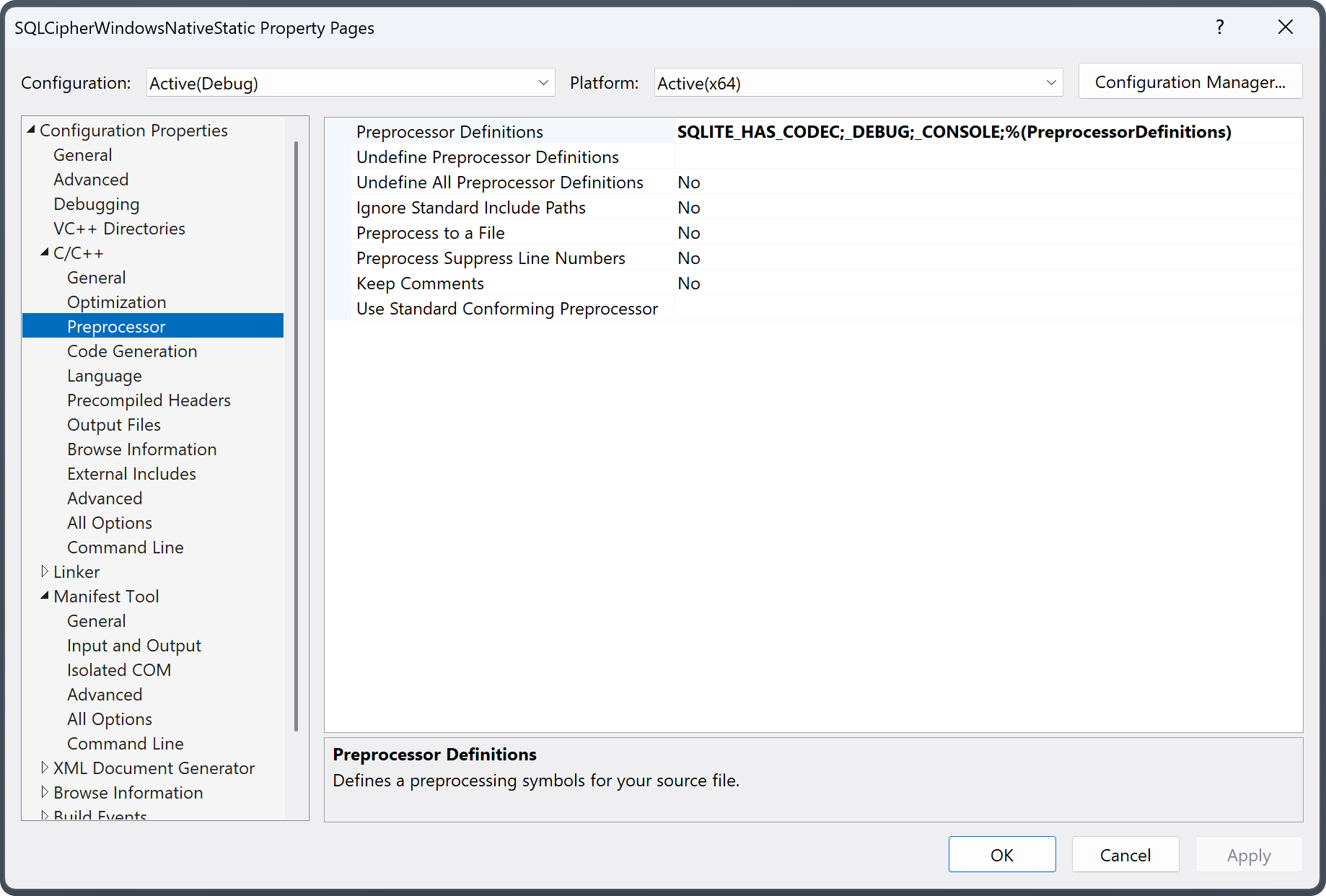
- Adjust
Additional Include Directorieswithin C/C++ > General to locate the SQLCipher header files. You can use$(PlatformTarget)in the path which will substitutex86,x64, orarm64at build time.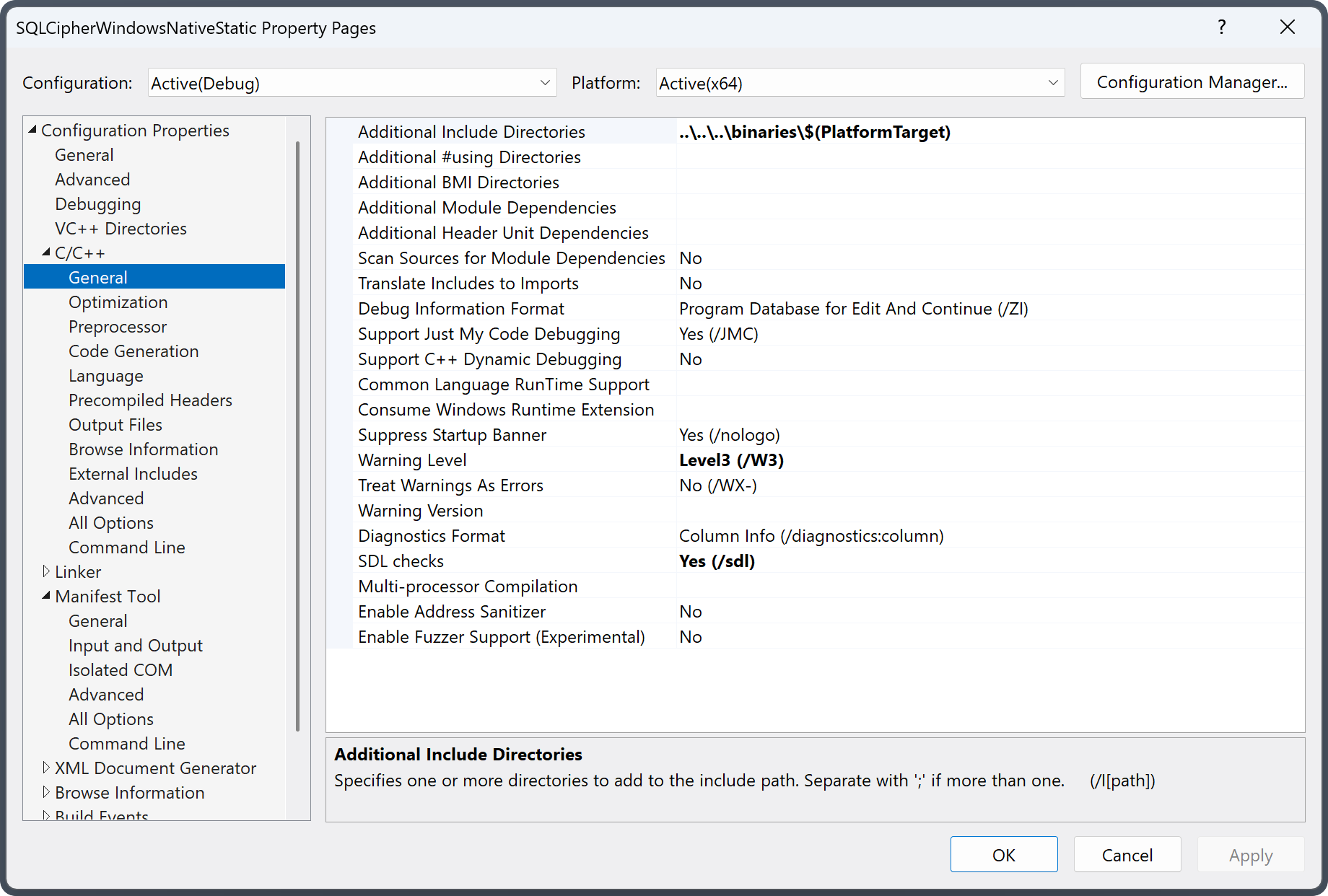
- Adjust
Additional Library Directorieswithin Linker > General to allow locating the directory of the static SQLCipher library. Using$(PlatformTarget)to locate the platform-specific target directory at build time.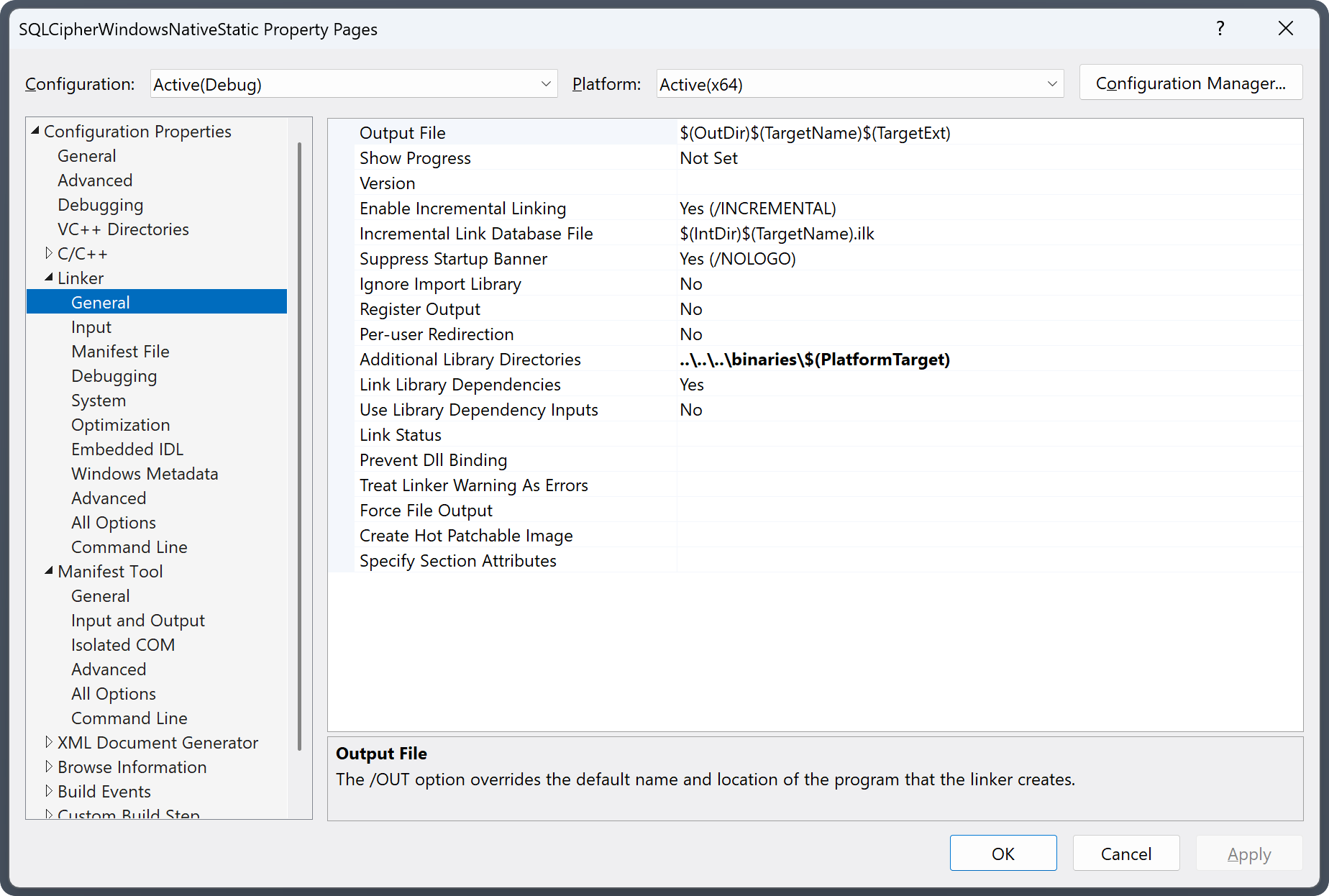
- Adjust
Additional Dependencieswithin Linker > Input. Addingsqlcipher-static.lib,libcrypto.lib, andcrypt32.libseparated by a semicolon.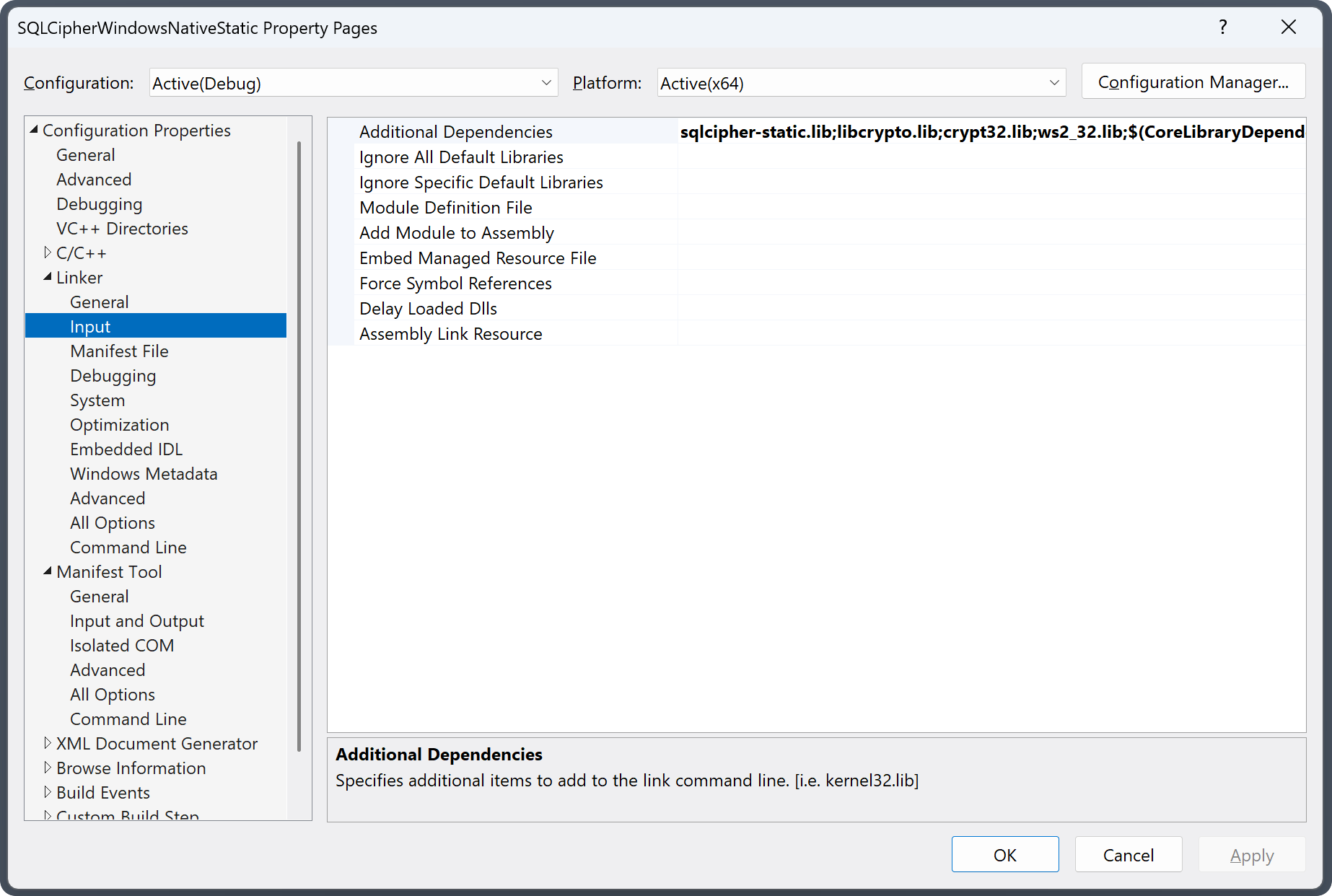
Example Usage
#include <iostream>
#include "sqlite3.h"
int main()
{
    int rc = 0;
     sqlite3* db;
    sqlite3_stmt* stmt = NULL;
    const char* password = (const char*) "demo";
    rc = sqlite3_open("demo.db", &db);
    if (rc != SQLITE_OK) {
        printf("Failed to open database\n");
    }
    rc = sqlite3_key(db, password, strlen(password));
    if (rc != SQLITE_OK) {
        printf("Failed to key database\n");
    }
    rc = sqlite3_exec(db, "PRAGMA cipher_license = '*** SET LICENSE CODE HERE ***';", NULL, NULL, NULL);
    if (rc != SQLITE_OK) {
        goto error;
    }
    rc = sqlite3_prepare(db, "PRAGMA cipher_version;", -1, &stmt, NULL);
    rc = sqlite3_step(stmt);
    if (rc == SQLITE_ROW) {
        printf("SQLCipher version:%s\n", sqlite3_column_text(stmt, 0));
    }
    rc = sqlite3_prepare(db, "CREATE TABLE IF NOT EXISTS t1(a,b);", -1, &stmt, NULL);
    rc = sqlite3_step(stmt);
    if (rc != SQLITE_DONE) {
        goto error;
    }
    printf("Created table succeeded\n");
    sqlite3_finalize(stmt);
    rc = sqlite3_prepare(db, "INSERT INTO t1(a,b) VALUES(?, ?);", -1, &stmt, NULL);
    if (rc != SQLITE_OK) {
        goto error;
    }
    sqlite3_bind_text(stmt, 1, "row one, column one", -1, NULL);
    sqlite3_bind_text(stmt, 2, "row one, column two", -1, NULL);
    rc = sqlite3_step(stmt);
    if (rc == SQLITE_DONE) {
        printf("Inserted data into t1 table\n");
    }
    else {
        printf("Failed to insert data into t1\n");
        goto error;
    }
    sqlite3_finalize(stmt);
    sqlite3_prepare(db, "SELECT * FROM t1;", -1, &stmt, NULL);
    while ((rc = sqlite3_step(stmt)) == SQLITE_ROW) {
        printf("a:%s b:%s\n",
            (char*)sqlite3_column_text(stmt, 0),
            (char*)sqlite3_column_text(stmt, 1));
    }
    sqlite3_finalize(stmt);
    stmt = NULL;
    goto done;
error:
	if (rc != SQLITE_OK) {
		printf("An error occurred, error number:%d message:%s\n",
			sqlite3_errcode(db),
			sqlite3_errmsg(db));
	}
done:
	if (stmt != NULL) {
		sqlite3_finalize(stmt);
	}
	if (db != NULL) {
		sqlite3_close(db);
	}
    return 0;
}
Get SQLCipher for Windows
This package can be purchased directly from the Zetetic Store and licensed software is delivered immediately upon payment.